A budget that fits.
Set monthly category limits, see what remains, and adjust your plan as priorities change.
Monthly budgets / Custom categories
Open source. In your element.
Your budget. Your connections. Your code. A local-first studio for making sense of your money—and making the workflow your own.
No bank connection needed to try it. A few things to know
 BAS /
Your studioIllustrative preview
BAS /
Your studioIllustrative preview
$560 left in your plan · 82.5% used
Invented sample figures · See the real app in the local demo
Inside your studio
See the real local demo, from monthly cash flow to the details behind each transaction. Every figure shown here is invented.
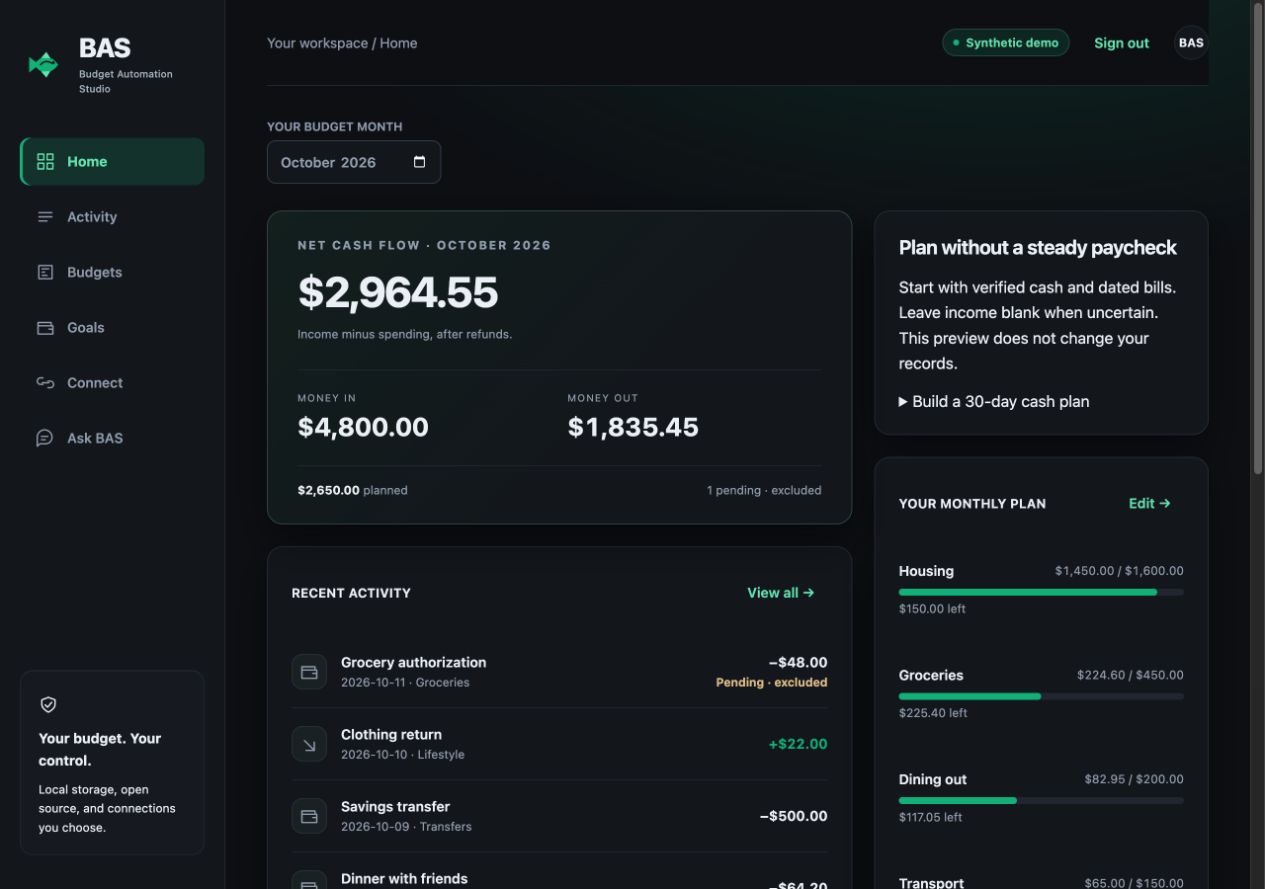
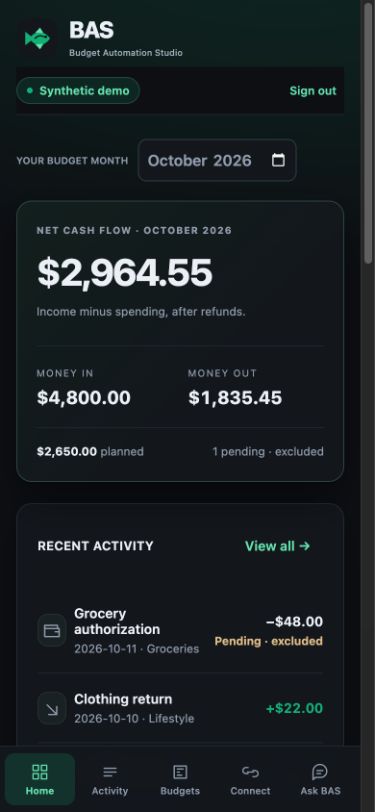
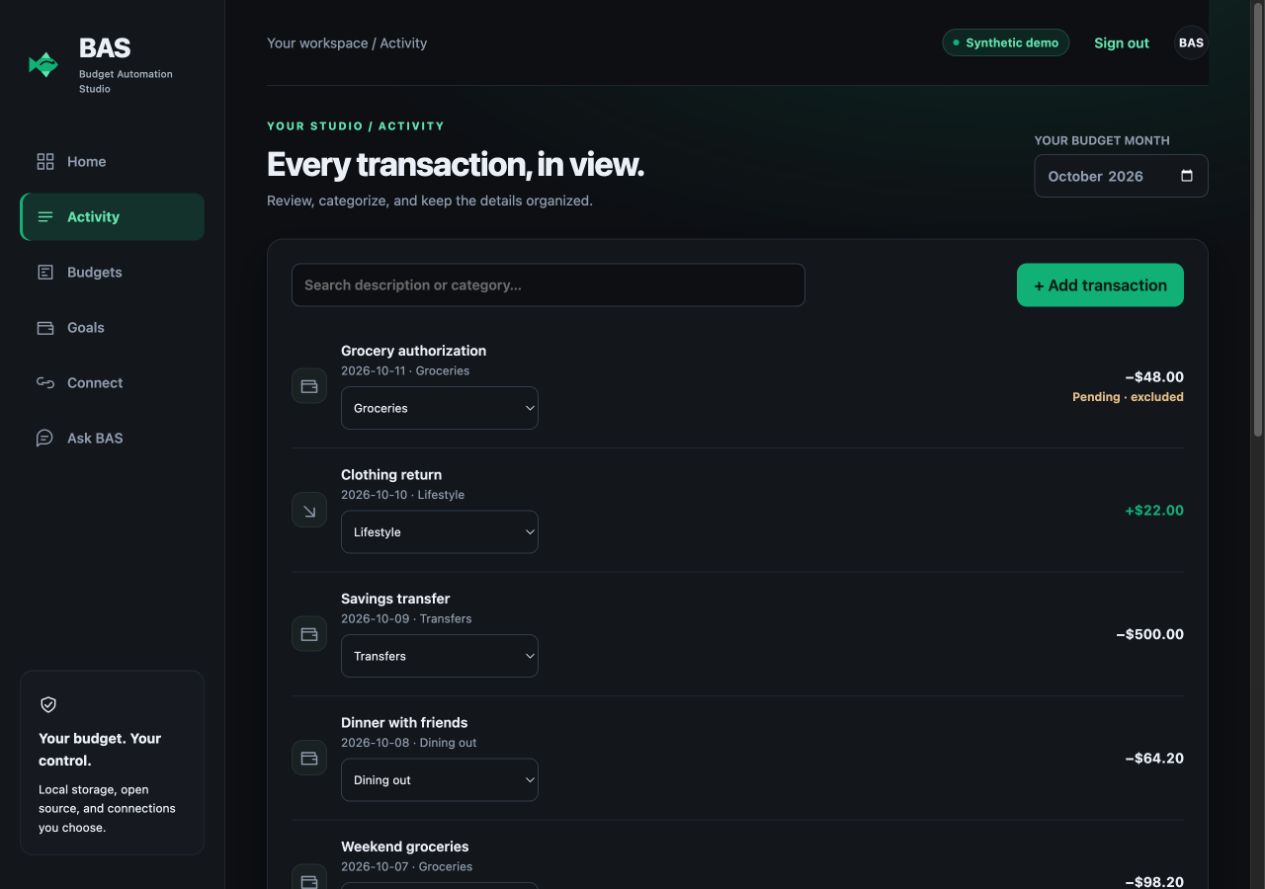
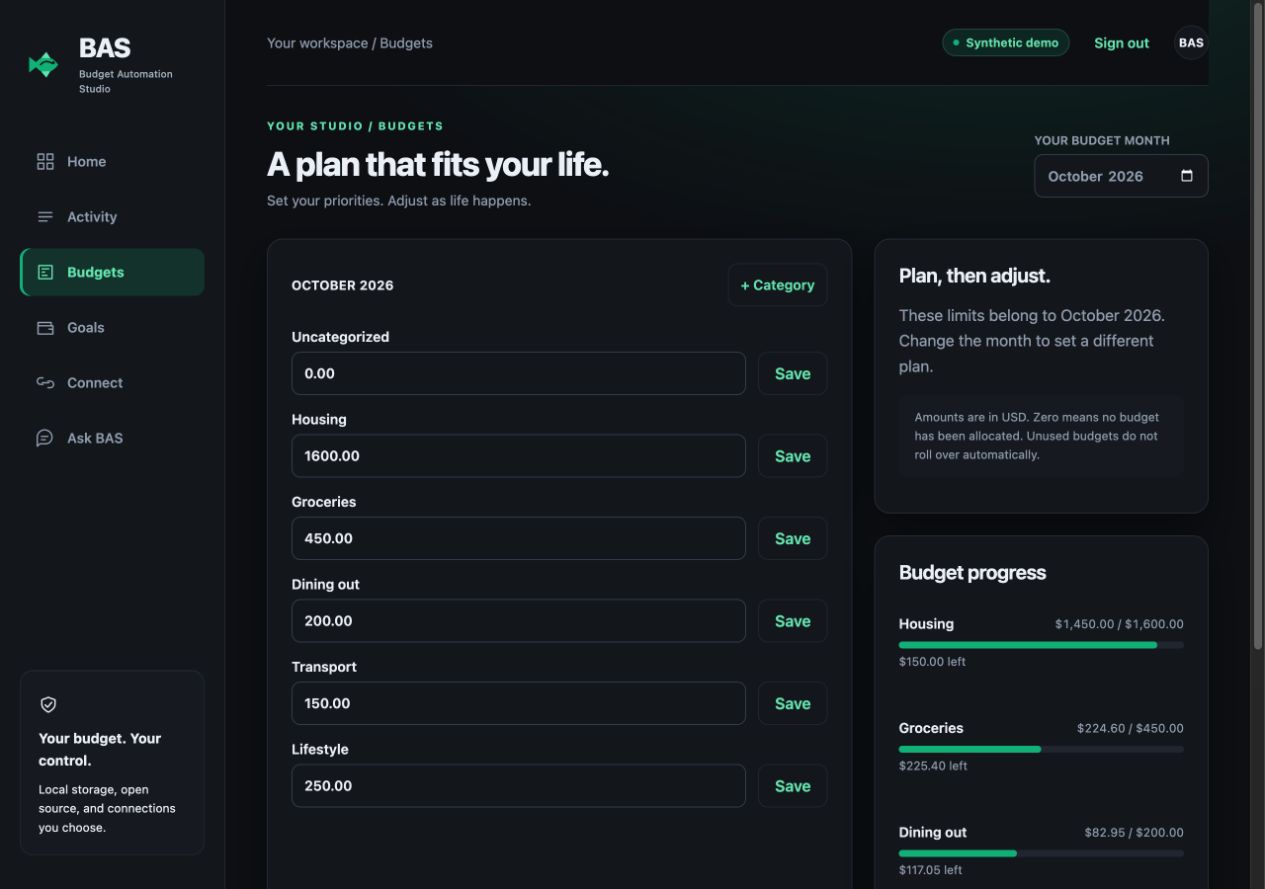
Actual app screens from an isolated synthetic demo. Images open full-size. This product page is separate from the self-hosted application.
A workspace, with room to grow.
Start with a monthly plan. Review the details. Add the connections that make sense for you. BAS keeps the workflow understandable and the code available to change.
Set monthly category limits, see what remains, and adjust your plan as priorities change.
Monthly budgets / Custom categories
Bring transactions into one place. Review categories, distinguish transfers, and keep refunds in context.
Manual entry / Transaction review
Add Plaid transaction sync, read-only SnapTrade account values, or optional cloud or local AI assistance.
Your accounts / Your configuration
Start with the sample studio.
Run BAS on your computer with invented data. Explore the dashboard before deciding whether to set up a personal workspace.
Node.js 24.10+ in the 24.x line and Git are required. The demo runs on your computer’s loopback address.
Read the setup guide ↗git clone https://github.com/Zoraz01/budget-automation-studio.git
cd budget-automation-studio
npm ci
npm startFull instructions and personal-workspace setup are in the README.
http://127.0.0.1:4310
Demo password: demo
Choose “Explore the demo.” No provider credentials or live financial accounts are needed. Demo edits persist locally.
Clear before you connect.
BAS is an open-source, self-hosted starter. The included server binds to your computer’s loopback address. A secure remote deployment requires additional setup and validation; a desktop localhost address is not reachable from a phone.
No. The synthetic demo works without either. You can use manual transactions in a personal workspace. Optional provider connections require your own eligible accounts, credentials and configuration.
The workspace database and provider credentials live on the server you run. If you enable cloud AI, your question and budget aggregates are sent to your chosen provider. Local Ollama is an alternative. Review the setup guide and provider terms before connecting services.
The source is available under the MIT license. Your hosting, provider access and optional AI usage may have their own costs. BAS does not include a paid hosting plan or financial advice.
Made by Vitality Labs.
Need a custom dashboard, integration or workflow for your business?